
Enfour Gaiji DX i Edition
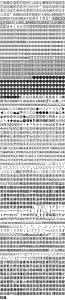
Gaiji DX i Edition gave home and office Mac users about 1,900 gaiji, IBM extended characters, a search palette, and their own gaiji creation tool.

Enfour Gaiji DX
Gaiji DX PS Edition put about 1,500 gaiji on PostScript printers with no resolution limit, in OCF and CID, bundled with the ATM Edition.


PS Edition (with ATM Edition) 2-Typeface Pack
Enfour Gaiji DX PS Edition (with ATM Edition) 2-Typeface Pack makes about 1,500 gaiji available for each of Morisawa’s L Ryumin L-KL and M Chu Gothic BBB. These PostScript fonts come as standard on almost all PostScript printers. It also supports printing Apple standard system gaiji. It works with both OCF and CID printers, and the gaiji data has no resolution limit. Enfour Gaiji DX ATM Edition is included, so outlines also display on screen.
Add the Medical, Dental, and IBM option packs (sold separately) for even more characters, or create original gaiji with Gaiji Edit Kit (sold separately).
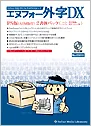
Enfour Gaiji DX PS Edition (with ATM Edition) 2-Typeface Pack
| Contents | CD-ROM / installer floppy disk / comprehensive code chart / installation manual |
| Requirements | KanjiTalk 7.1 or later (including Mac OS 8); 8 MB or more memory; 1 MB free disk space per typeface; CD-ROM drive; 2HD floppy drive; ATM 3.9.1 or later / Morisawa ATM fonts (when using the ATM Edition); genuine Adobe PostScript printer with hard disk (including CID printers) — for other PS-compatible printers and software RIPs, please check with us |
| Dictionaries | Kotoeri, Kotoeri 2.0 / ATOK8, 11 / EG Bridge 7, 8, 9 / VJE-Delta; special dictionaries (personal and place names / medical terms / dental terms / Kampo terms / Okinawa dictionary); dictionary-registration text for other input methods (Kotoeri format) |
| Code range | Shift_JIS F040–F7FC |
| Typeface names | Enfour Gaiji Mincho L (with L Ryumin L-KL); Enfour Gaiji Gothic M (with M Chu Gothic BBB) |
ATM Edition – Requires Morisawa’s ATM font package for L Ryumin L-KL and M Chu Gothic BBB. – The base fonts are outline-protected, so they cannot be converted to outlines. – This product cannot create gaiji. To create gaiji, use it with Gaiji Edit Kit (sold separately). – The typeface names in the font menu are Enfour Gaiji DX’s own names. – Gaiji cannot be used in JustSystems’ Ichitaro, which restricts use of the gaiji area. – With ATOK11, part of the gaiji area cannot be registered in the dictionary unless the Text Encoding Converter extension is version 1.3 or later. – In Adobe Illustrator 7.0J, the base font must be a CID font. Outlining the gaiji, using option packs and using data created with Gaiji Edit Kit are also not possible. (Version 5.5 does not have this problem.)
PS Edition – Cannot be used unless the PostScript printer has Morisawa’s PostScript fonts L Ryumin L-KL and M Chu Gothic BBB installed. – Printing to a PostScript printer with the ATM Edition alone can be unstable, depending on the application. If you use a PostScript printer, we recommend installing the PS Edition on it.
PS Edition (with ATM Edition) 3-Typeface Pack
Enfour Gaiji DX PS Edition (with ATM Edition) 3-Typeface Pack makes about 1,500 gaiji available for each of Morisawa’s Futo Min A101, Futo Go B101, and Jun 101. These PostScript fonts come as standard on many PostScript printers. It also supports printing Apple standard system gaiji. It works with both OCF and CID printers, and the gaiji data has no resolution limit. Enfour Gaiji DX ATM Edition is included, so outlines also display on screen.
You can also create original gaiji with Gaiji Edit Kit (sold separately).
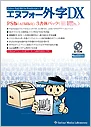
Enfour Gaiji DX PS Edition (with ATM Edition) 3-Typeface Pack
| Contents | CD-ROM / installer floppy disk / comprehensive code chart / installation manual |
| Requirements | KanjiTalk 7.1 or later (including Mac OS 8); 8 MB or more memory; 1 MB free disk space per typeface; CD-ROM drive; 2HD floppy drive; ATM 3.9.1 or later / Morisawa ATM fonts (when using the ATM Edition); genuine Adobe PostScript printer with hard disk (including CID printers) — for other PS-compatible printers and software RIPs, please check with us |
| Dictionaries | Kotoeri, Kotoeri 2.0 / ATOK8, 11 / EG Bridge 7, 8, 9 / VJE-Delta; special dictionaries (personal and place names / medical terms / dental terms / Kampo terms / Okinawa dictionary); dictionary-registration text for other input methods (Kotoeri format) |
| Code range | Shift_JIS F040–F7FC |
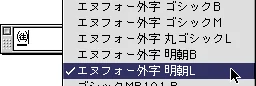
| Typeface names | Enfour Gaiji Mincho B (with Futo Min A101); Enfour Gaiji Gothic B (with Futo Go B101); Enfour Gaiji Maru Gothic L (with Jun 101) |
ATM Edition – Requires Morisawa’s ATM font package for Futo Min A101, Futo Go B101, and Jun 101. – The base fonts are outline-protected, so they cannot be converted to outlines. – This product cannot create gaiji. To create gaiji, use it with Gaiji Edit Kit (sold separately). – The typeface names in the font menu are Enfour Gaiji DX’s own names. – Gaiji cannot be used in JustSystems’ Ichitaro, which restricts use of the gaiji area. – With ATOK11, part of the gaiji area cannot be registered in the dictionary unless the Text Encoding Converter extension is version 1.3 or later. – In Adobe Illustrator 7.0J, the base font must be a CID font. Outlining the gaiji and using data created with Gaiji Edit Kit are also not possible. (Version 5.5 does not have this problem.)
PS Edition – Cannot be used unless the PostScript printer has Morisawa’s PostScript fonts Futo Min A101, Futo Go B101, and Jun 101 installed. – Printing to a PostScript printer with the ATM Edition alone can be unstable, depending on the application. If you use a PostScript printer, we recommend installing the PS Edition on it. – Option packs are not sold for the 3-typeface pack.

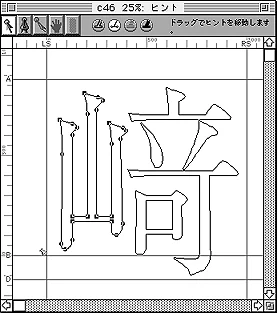
Gaiji DX i Edition gave home and office Mac users about 1,900 gaiji, IBM extended characters, a search palette, and their own gaiji creation tool.

The Gaiji DX TrueType Edition 2-Typeface Pack added about 1,500 gaiji to Ryumin Light-KL and Chu Gothic BBB and supported the Medical and Dental packs.
Gaiji DX ATM Edition added about 1,500 gaiji to Morisawa Ryumin L-KL and Chu Gothic BBB, or Futo Min, Futo Go, and Jun, for professional Mac DTP.
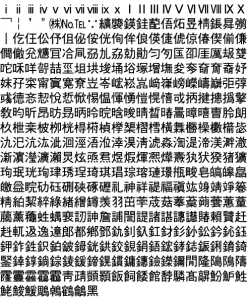
Gaiji DX option packs added 188 medical, 321 dental, and 388 IBM extended characters to the Mac, with specialist input dictionaries.